Menu
Your Cart

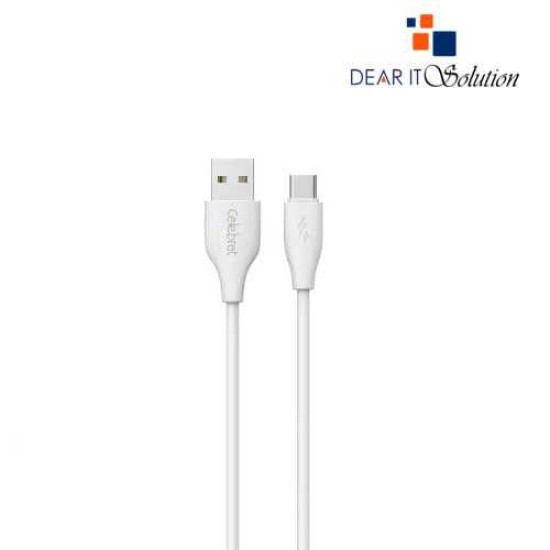
Yison Celebrat CB-31 A-C-White 1 Meter USB to USB Type-C Cable

Yison Celebrat CB-31 A-C-White 1 Meter USB to USB Type-C Cable
  • Price: TK 150/-
  • Stock: In Stock
  • Model: Celebrat CB-31 A-C-White
TK 150/-
Ex Tax: TK 150/-

Key Features

    •  
    • Model: Celebrat CB-31 A-C-White
    •  
    • Interface: USB Type-A to USB Type-C
    •  
    • Function: Charging & Data Transmission
    •  
    • Material: PVC silicone, soft hand feel
    •  
    • Cable Length: 1 Meter
    •  
         
Description

Yison Celebrat CB-31 A-C-White 1 Meter USB to USB Type-C Cable

The Yison Celebrat CB-31 A-C-White 1 Meter USB to USB Type-C Cable combines functionality and style, making it an excellent choice for efficient charging and data transfer. With a sleek white design, this cable complements any modern setup while delivering reliable performance. Its 1-meter length offers optimal flexibility, whether you’re charging devices at your desk or syncing data on the go.

This cable is compatible with a wide range of USB Type-C devices, including smartphones, tablets, and other gadgets. Designed with durable materials, it ensures long-lasting use and stable connectivity. The connectors provide a secure fit, preventing interruptions during charging or data transfer. Its high-speed charging capability keeps your devices powered up quickly and efficiently.


Buying Suggestions from Dear IT Solution

Get the Yison Celebrat CB-31 A-C-White 1 Meter USB to USB Type-C Cable at the best price in Bangladesh from Dear IT Solution. Enjoy high-quality products and excellent service with every purchase. Order now!

Review

Write a review

Note: HTML is not translated!
Bad Good
Critial Path: Hello world!
Hello world!
/** * @license * Copyright 2017 Google LLC * SPDX-License-Identifier: Apache-2.0 *//** * @fileoverview Diagnostic audit that lists all JavaScript libraries detected on the page */import {Audit} from '../audit.js'; import * as i18n from '../../lib/i18n/i18n.js';const UIStrings = { /** Title of a Lighthouse audit that provides detail on the Javascript libraries that are used on the page. */ title: 'Detected JavaScript libraries', /** Description of a Lighthouse audit that tells the user what this audit is detecting. This is displayed after a user expands the section to see more. No character length limits. */ description: 'All front-end JavaScript libraries detected on the page. [Learn more about this JavaScript library detection diagnostic audit](https://developer.chrome.com/docs/lighthouse/best-practices/js-libraries/).', /** Label for a column in a data table; entries will be the version numbers of the detected Javascript libraries. */ columnVersion: 'Version', };const str_ = i18n.createIcuMessageFn(import.meta.url, UIStrings);class JsLibrariesAudit extends Audit { /** * @return {LH.Audit.Meta} */ static get meta() { return { id: 'js-libraries', title: str_(UIStrings.title), scoreDisplayMode: Audit.SCORING_MODES.INFORMATIVE, description: str_(UIStrings.description), requiredArtifacts: ['Stacks'], }; }/** * @param {LH.Artifacts} artifacts * @return {LH.Audit.Product} */ static audit(artifacts) { const libDetails = artifacts.Stacks .filter(stack => stack.detector === 'js') // Don't show the fast paths in the table. .filter(stack => !stack.id.endsWith('-fast')) .map(stack => ({ name: stack.name, version: stack.version, npm: stack.npm, }));/** @type {LH.Audit.Details.Table['headings']} */ const headings = [ {key: 'name', valueType: 'text', label: str_(i18n.UIStrings.columnName)}, {key: 'version', valueType: 'text', label: str_(UIStrings.columnVersion)}, ]; const details = Audit.makeTableDetails(headings, libDetails);const debugData = { type: /** @type {const} */ ('debugdata'), stacks: artifacts.Stacks.map(stack => { return { id: stack.id, version: stack.version, }; }), };if (!libDetails.length) { return {score: null, notApplicable: true}; }return { score: 1, // Always pass for now. details: { ...details, debugData, }, }; } }export default JsLibrariesAudit; export {UIStrings};