Menu
Your Cart

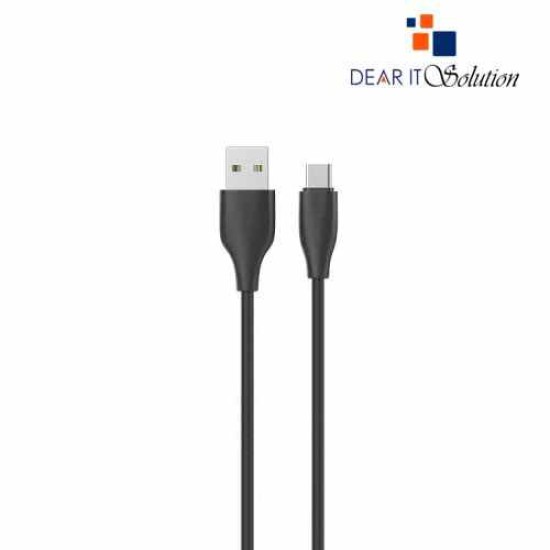
Yison Celebrat CB-31 A-C 1 Meter USB to USB Type-C Cable

Yison Celebrat CB-31 A-C 1 Meter USB to USB Type-C Cable
  • Price: TK 150/-
  • Stock: In Stock
  • Model: Celebrat CB-31 A-C
TK 150/-
Ex Tax: TK 150/-

Key Features

    • Model: Celebrat CB-31 A-C
    • Interface: USB Type-A to USB Type-C
    • Function: Charging & Data Transmission
    • Material: PVC silicone, soft hand feel
    • Cable Length: 1 Meter
    Description

    Yison Celebrat CB-31 A-C 1 Meter USB to USB Type-C Cable

    The Yison Celebrat CB-31 A-C 1 Meter USB to USB Type-C Cable is an ideal choice for fast charging and efficient data transfer. With its USB Type-C compatibility, this cable ensures seamless connectivity for a wide range of modern devices, including smartphones, tablets, and other gadgets. Its 1-meter length strikes a perfect balance between portability and convenience, making it suitable for home, office, or travel use.

    Built with high-quality materials, the cable is designed to withstand frequent use without compromising performance. The sturdy connectors fit securely, ensuring a stable connection for uninterrupted charging and data syncing. With its ability to handle high-speed charging, this cable saves you valuable time while ensuring your devices are always powered up and ready to go.


    Buying Suggestions from Dear IT Solution

    Purchase the Yison Celebrat CB-31 A-C 1 Meter USB to USB Type-C Cable at the best price in Bangladesh from Dear IT Solution. Ensure superior quality and durability with every order. Shop now and experience top-notch customer service!

    Review

    Write a review

    Note: HTML is not translated!
    Bad Good
    Critial Path: Hello world!
    Hello world!
    /** * @license * Copyright 2017 Google LLC * SPDX-License-Identifier: Apache-2.0 *//** * @fileoverview Diagnostic audit that lists all JavaScript libraries detected on the page */import {Audit} from '../audit.js'; import * as i18n from '../../lib/i18n/i18n.js';const UIStrings = { /** Title of a Lighthouse audit that provides detail on the Javascript libraries that are used on the page. */ title: 'Detected JavaScript libraries', /** Description of a Lighthouse audit that tells the user what this audit is detecting. This is displayed after a user expands the section to see more. No character length limits. */ description: 'All front-end JavaScript libraries detected on the page. [Learn more about this JavaScript library detection diagnostic audit](https://developer.chrome.com/docs/lighthouse/best-practices/js-libraries/).', /** Label for a column in a data table; entries will be the version numbers of the detected Javascript libraries. */ columnVersion: 'Version', };const str_ = i18n.createIcuMessageFn(import.meta.url, UIStrings);class JsLibrariesAudit extends Audit { /** * @return {LH.Audit.Meta} */ static get meta() { return { id: 'js-libraries', title: str_(UIStrings.title), scoreDisplayMode: Audit.SCORING_MODES.INFORMATIVE, description: str_(UIStrings.description), requiredArtifacts: ['Stacks'], }; }/** * @param {LH.Artifacts} artifacts * @return {LH.Audit.Product} */ static audit(artifacts) { const libDetails = artifacts.Stacks .filter(stack => stack.detector === 'js') // Don't show the fast paths in the table. .filter(stack => !stack.id.endsWith('-fast')) .map(stack => ({ name: stack.name, version: stack.version, npm: stack.npm, }));/** @type {LH.Audit.Details.Table['headings']} */ const headings = [ {key: 'name', valueType: 'text', label: str_(i18n.UIStrings.columnName)}, {key: 'version', valueType: 'text', label: str_(UIStrings.columnVersion)}, ]; const details = Audit.makeTableDetails(headings, libDetails);const debugData = { type: /** @type {const} */ ('debugdata'), stacks: artifacts.Stacks.map(stack => { return { id: stack.id, version: stack.version, }; }), };if (!libDetails.length) { return {score: null, notApplicable: true}; }return { score: 1, // Always pass for now. details: { ...details, debugData, }, }; } }export default JsLibrariesAudit; export {UIStrings};