Menu
Your Cart

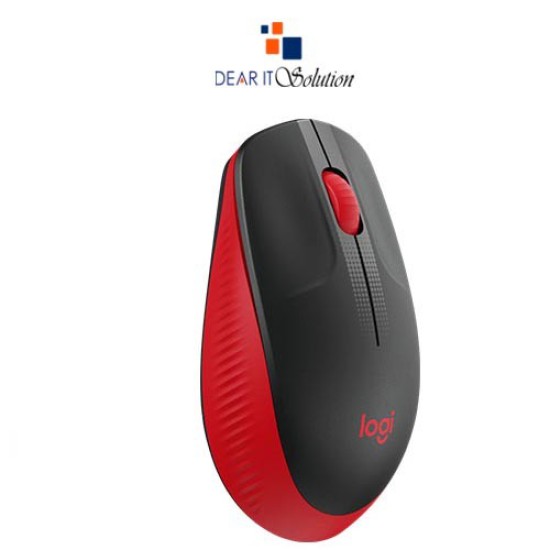
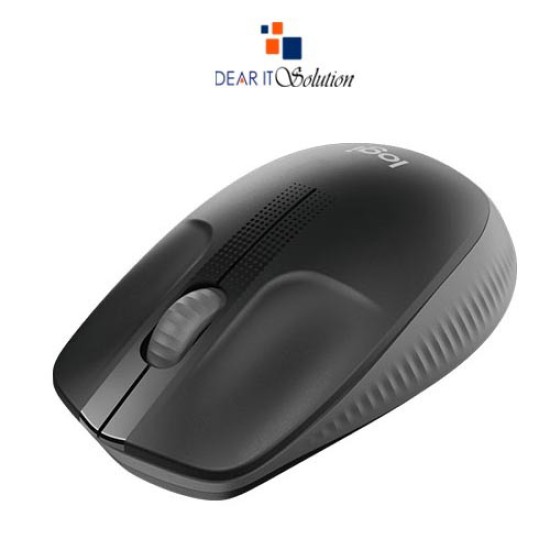
Logitech M190 Wireless Optical Mouse in BD

Logitech M190 Wireless Optical Mouse in BD
  • Price: TK 1,250/-
  • Stock: In Stock
  • Model: M190
  • Dimensions: 115.40cm x 66.10cm x 40.30cm
  • MPN: 910-005913
TK 1,250/-
Ex Tax: TK 1,250/-

Key Features

    • Brand: Logitech
    • Model: M190
    • Type:Wireless
    • Buttons No.:3
    • Warranty:1 Year
Specification
General Feature
BrandLogitech
ModelM190
DPI1000
Button03
Connectivity
WirelessYes
Power
SourceLogitech Nano Receiver
Mouse Feature
SensorSmooth Optical Tracking
Physical Attributes
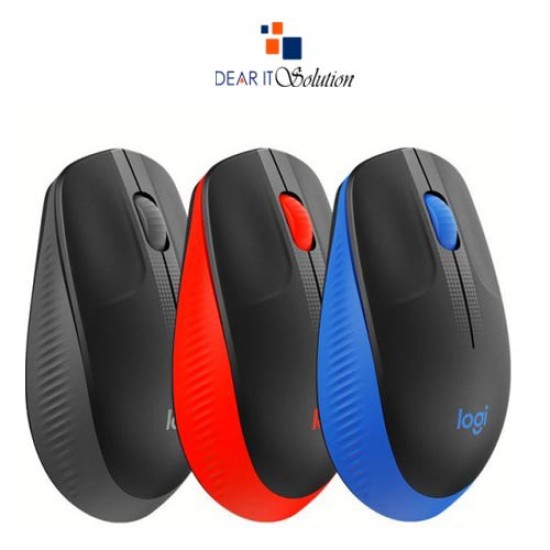
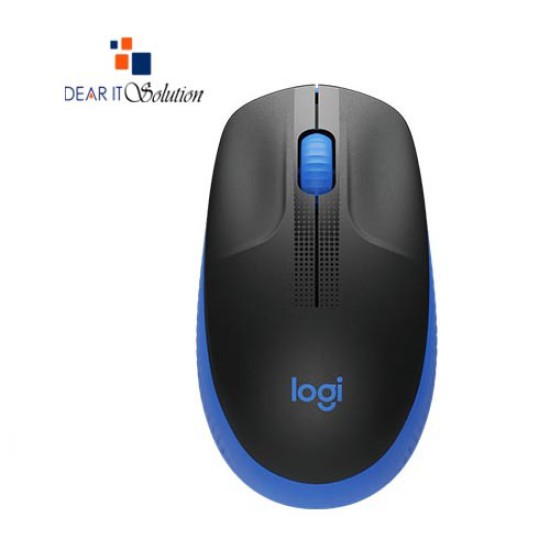
ColorGrey: 910-005913 Blue: 910-005914 Red: 910-005915
DimensionsHeight: 115.4 mm Width: 66.1 mm Depth: 40.3 mm
Weight89.9 g
Warranty Information
Warranty1 Year
Description

Logitech M190 Wireless Mouse Price in BD – Dear IT Solution


The Logitech M190 Wireless Mouse is a full-size wireless mouse designed to provide superior comfort, durability, and precision. Whether you're working from home, in the office, or on the go, this mouse delivers reliable performance with its 1000 DPI optical sensor and Logitech Nano Receiver for a stable wireless connection up to 10 meters. With a battery life of 18 months, you won't need to worry about frequent battery changes, and its ergonomic design ensures comfortable use for extended periods. Available at Dear IT Solution, the Logitech M190 offers the best price in Bangladesh for a genuine and high-quality product.

Features of Logitech M190 Wireless Mouse

3 Buttons: The mouse comes with three essential buttons (left-click, right-click, and scroll wheel), providing all the functionality needed for everyday tasks.

Wireless Technology: The Logitech Nano Receiver provides a reliable and strong wireless connection up to 10 meters, giving you the freedom to move around without any delays or dropouts.

1000 DPI Optical Sensor: The 1000 DPI sensor ensures smooth and precise cursor control, making it perfect for navigating through documents, web pages, and applications.

Long Battery Life: With a battery life of 18 months, the M190 is highly energy-efficient, allowing for long-term use without needing frequent replacements.

Ergonomic and Full-Size Design: The full-size, contoured shape is designed for comfortable use, making it ideal for both left- and right-handed users, even during long hours of work.

Durable Build: Built to withstand daily wear and tear, the M190 is a reliable tool for both work and personal use.

Color Variants: The Logitech M190 is available in Grey (910-005913), Blue (910-005914), and Red (910-005915), allowing you to choose a color that fits your style.

Lightweight and Portable: Weighing just 89.9 grams (with batteries), the mouse is light and portable, making it easy to carry around in your bag or pocket.

Plug-and-Play: The M190 is easy to set up with its plug-and-play functionality. Simply insert the Logitech Nano Receiver into your device’s USB port, and you’re ready to go.

Warranty: The mouse comes with a 1-year warranty, ensuring peace of mind and guaranteed product quality.

Why Buy Logitech M190 Wireless Mouse from Dear IT Solution

Purchase the Logitech M190 Wireless Mouse from Dear IT Solution to enjoy the best price in Bangladesh. We offer genuine products with fast delivery and a best quality product insured in Bangladesh. Whether you prefer shopping in-store or online, we ensure a reliable and smooth purchasing experience.

Review

Write a review

Note: HTML is not translated!
Bad Good
Critial Path: Hello world!
Hello world!
/** * @license * Copyright 2017 Google LLC * SPDX-License-Identifier: Apache-2.0 *//** * @fileoverview Diagnostic audit that lists all JavaScript libraries detected on the page */import {Audit} from '../audit.js'; import * as i18n from '../../lib/i18n/i18n.js';const UIStrings = { /** Title of a Lighthouse audit that provides detail on the Javascript libraries that are used on the page. */ title: 'Detected JavaScript libraries', /** Description of a Lighthouse audit that tells the user what this audit is detecting. This is displayed after a user expands the section to see more. No character length limits. */ description: 'All front-end JavaScript libraries detected on the page. [Learn more about this JavaScript library detection diagnostic audit](https://developer.chrome.com/docs/lighthouse/best-practices/js-libraries/).', /** Label for a column in a data table; entries will be the version numbers of the detected Javascript libraries. */ columnVersion: 'Version', };const str_ = i18n.createIcuMessageFn(import.meta.url, UIStrings);class JsLibrariesAudit extends Audit { /** * @return {LH.Audit.Meta} */ static get meta() { return { id: 'js-libraries', title: str_(UIStrings.title), scoreDisplayMode: Audit.SCORING_MODES.INFORMATIVE, description: str_(UIStrings.description), requiredArtifacts: ['Stacks'], }; }/** * @param {LH.Artifacts} artifacts * @return {LH.Audit.Product} */ static audit(artifacts) { const libDetails = artifacts.Stacks .filter(stack => stack.detector === 'js') // Don't show the fast paths in the table. .filter(stack => !stack.id.endsWith('-fast')) .map(stack => ({ name: stack.name, version: stack.version, npm: stack.npm, }));/** @type {LH.Audit.Details.Table['headings']} */ const headings = [ {key: 'name', valueType: 'text', label: str_(i18n.UIStrings.columnName)}, {key: 'version', valueType: 'text', label: str_(UIStrings.columnVersion)}, ]; const details = Audit.makeTableDetails(headings, libDetails);const debugData = { type: /** @type {const} */ ('debugdata'), stacks: artifacts.Stacks.map(stack => { return { id: stack.id, version: stack.version, }; }), };if (!libDetails.length) { return {score: null, notApplicable: true}; }return { score: 1, // Always pass for now. details: { ...details, debugData, }, }; } }export default JsLibrariesAudit; export {UIStrings};