Menu
Your Cart

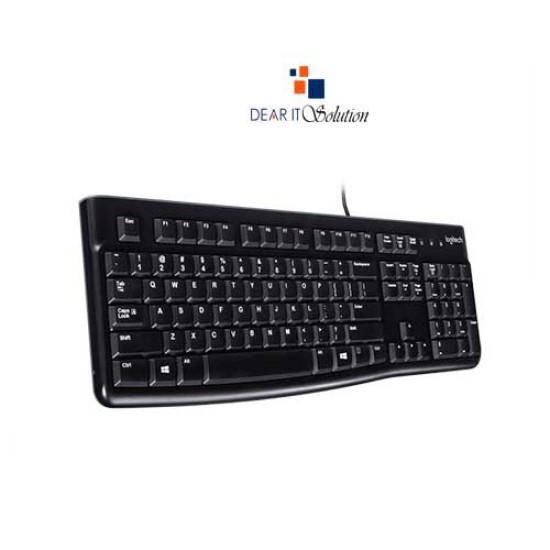
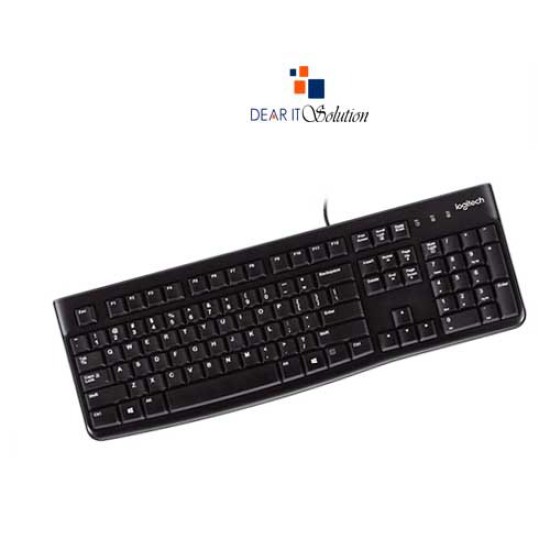
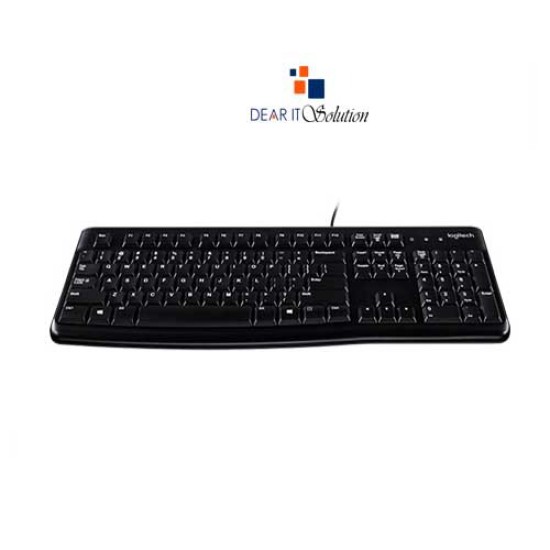
Logitech K120 USB Keyboard with Bangla Layout

Logitech K120 USB Keyboard with Bangla Layout
  • Price: TK 725/-
  • Stock: In Stock
  • Model: K120
  • Dimensions: 23.50mm x 450.00mm x 155.00mm
  • MPN: 920-008363
TK 725/-
Ex Tax: TK 725/-

Key Features

    • Brand:Logitech
    • Model:K120
    • Type: USB Wired Keyboard
    • Cable Length: 150cm Approx
    • Warranty:3 Years
Specification
General Feature
BrandLogitech
ModelK120
TypeWired
InterfaceUSB
OthersUp to 10 million keystrokes
Physical Attributes
Number Of Keys 10-Key Number pad
ColorBlack
DimensionsHeight: 155 mm Width: 450 mm Depth: 23.5 mm
Backlit OptionNo
Weight550 g
Warranty Information
Warranty3 Years
Description

Logitech K120 Keyboard Price in Bangladesh – Dear IT Solution


The Logitech K120 USB Keyboard with Bangla Black offers a perfect balance of functionality, simplicity, and durability. Designed for daily typing needs, this keyboard is especially ideal for those requiring Bangla language support. With its full-size layout, you can easily manage tasks involving both English and Bangla typing, making it a great option for bilingual users in Bangladesh. The low-profile keys are designed for comfortable typing, while the spacious layout ensures efficient typing over long periods.

This keyboard also features plug-and-play convenience, making it easy to set up without the need for additional software. It’s an excellent choice for home, office, or educational purposes.


Features of Logitech K120 USB Keyboard with Bangla Black


Bangla Language Support: The dual-language layout includes both English and Bangla characters, making it easy for users who work in both languages.

Full-Size Layout: The keyboard includes a number pad and dedicated function keys, providing a familiar and efficient typing experience.

Durable Build: With its spill-resistant design and sturdy keys, the K120 is built to withstand heavy use, making it highly durable for everyday tasks.

Comfortable Typing Experience: The low-profile keys and adjustable tilt legs provide a comfortable and customizable typing angle, ensuring reduced strain over long periods.

Plug-and-Play: No need for software installation. Simply plug in the USB connector, and you’re ready to type.

Quiet Typing: The keys are designed to offer a quiet and comfortable typing experience, perfect for quiet work environments.


Why Buy Logitech K120 USB Keyboard from Dear IT Solution

At Dear IT Solution, we offer the Logitech K120 USB Keyboard with Bangla Black at the best price in Bangladesh. Whether you visit our store or order online, you are assured of receiving a genuine, high-quality product with the best quality product insured in Bangladesh.

Review

Write a review

Note: HTML is not translated!
Bad Good
Critial Path: Hello world!
Hello world!
/** * @license * Copyright 2017 Google LLC * SPDX-License-Identifier: Apache-2.0 *//** * @fileoverview Diagnostic audit that lists all JavaScript libraries detected on the page */import {Audit} from '../audit.js'; import * as i18n from '../../lib/i18n/i18n.js';const UIStrings = { /** Title of a Lighthouse audit that provides detail on the Javascript libraries that are used on the page. */ title: 'Detected JavaScript libraries', /** Description of a Lighthouse audit that tells the user what this audit is detecting. This is displayed after a user expands the section to see more. No character length limits. */ description: 'All front-end JavaScript libraries detected on the page. [Learn more about this JavaScript library detection diagnostic audit](https://developer.chrome.com/docs/lighthouse/best-practices/js-libraries/).', /** Label for a column in a data table; entries will be the version numbers of the detected Javascript libraries. */ columnVersion: 'Version', };const str_ = i18n.createIcuMessageFn(import.meta.url, UIStrings);class JsLibrariesAudit extends Audit { /** * @return {LH.Audit.Meta} */ static get meta() { return { id: 'js-libraries', title: str_(UIStrings.title), scoreDisplayMode: Audit.SCORING_MODES.INFORMATIVE, description: str_(UIStrings.description), requiredArtifacts: ['Stacks'], }; }/** * @param {LH.Artifacts} artifacts * @return {LH.Audit.Product} */ static audit(artifacts) { const libDetails = artifacts.Stacks .filter(stack => stack.detector === 'js') // Don't show the fast paths in the table. .filter(stack => !stack.id.endsWith('-fast')) .map(stack => ({ name: stack.name, version: stack.version, npm: stack.npm, }));/** @type {LH.Audit.Details.Table['headings']} */ const headings = [ {key: 'name', valueType: 'text', label: str_(i18n.UIStrings.columnName)}, {key: 'version', valueType: 'text', label: str_(UIStrings.columnVersion)}, ]; const details = Audit.makeTableDetails(headings, libDetails);const debugData = { type: /** @type {const} */ ('debugdata'), stacks: artifacts.Stacks.map(stack => { return { id: stack.id, version: stack.version, }; }), };if (!libDetails.length) { return {score: null, notApplicable: true}; }return { score: 1, // Always pass for now. details: { ...details, debugData, }, }; } }export default JsLibrariesAudit; export {UIStrings};