Menu
Your Cart

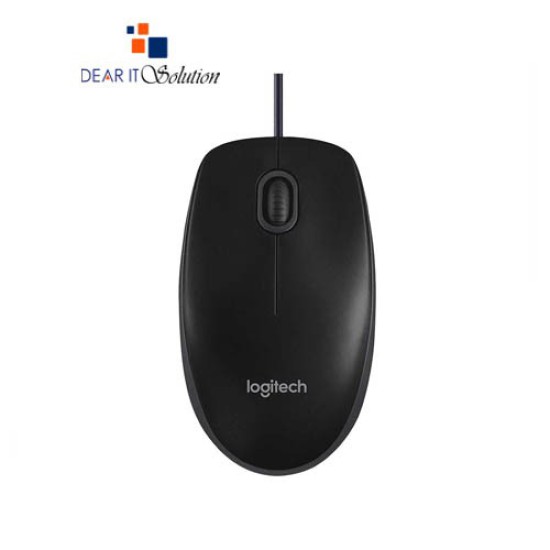
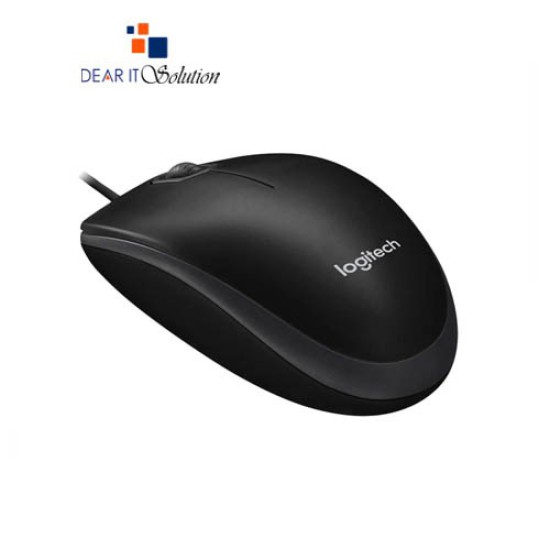
Logitech B100 USB Mouse in BD

Logitech B100 USB Mouse in BD
  • Price: TK 360/-
  • Stock: In Stock
  • Model: B100
TK 360/-
Ex Tax: TK 360/-

Key Features

    • Brand:Logitech
    • Model:B100
    • Type:Wired Optical Mouse
    • Buttons No.: 3
    • Warranty: 1 Year
Specification
General Feature
BrandLogitech
ModelB175
DPI800
Connectivity
WiredUSB receiver
Power
SourceOptical Mouse USB
Mouse Feature
Buttons No3 (Left/Right-click, Middle click)
Physical Attributes
ColorBlack
DimensionsHeight: 4.45 in (113 mm) Width: 2.44 in (62 mm) Depth: 1.50 in (38 mm)
Weight3.17 oz (90 g)
Warranty Information
Warranty1 Year
Description

Logitech B100 USB Mouse Price – Dear IT Solution


The Logitech B100 Optical USB Mouse is an essential, budget-friendly mouse designed for comfort, durability, and precise control. Its ambidextrous shape ensures comfort for both left- and right-handed users, while its 1000 dpi optical sensor provides smooth and responsive tracking on most surfaces. The mouse features 3 buttons and a scroll wheel, making it ideal for both professional and personal use. With its plug-and-play functionality, the B100 is easy to set up and use, simply connect it to your computer’s USB port, and it’s ready to go. Available at Dear IT Solution, the Logitech B100 offers excellent value with the best price in Bangladesh for a genuine product.

Features of Logitech B100 Optical USB Mouse

1000 DPI Optical Sensor: The Logitech B100 provides precise cursor control with its 1000 dpi optical sensor, making it suitable for various tasks, including web browsing, document editing, and more.

Ambidextrous Design: The mouse's symmetrical design makes it comfortable for both left- and right-handed users, ensuring ease of use for everyone.

3 Buttons: The mouse features three buttons—left-click, right-click, and a scroll wheel—offering all the essential functions for daily computing tasks.

Plug-and-Play: This USB-connected mouse is easy to set up, with no software or drivers required. Just plug it into your computer's USB port, and it’s ready to use.

Durable Build: Built to last, the B100 is designed with high-quality materials to ensure longevity and reliability for everyday use.

Wide Compatibility: Compatible with most operating systems, including Windows, macOS, and Linux, the Logitech B100 offers flexibility across various platforms.

Compact and Lightweight: Its compact design makes it easy to carry around, making it ideal for laptop users or professionals who travel frequently.

Why Buy Logitech B100 Optical USB Mouse from Dear IT Solution

At Dear IT Solution, we offer the Logitech B100 Optical USB Mouse at the best price in Bangladesh, ensuring you receive a genuine, high-quality product. You can visit our store or place an online order to enjoy the best deals, fast delivery, and reliable customer service. With best quality product insured in Bangladesh, the Logitech B100 from Dear IT is a great choice for anyone seeking a cost-effective and dependable mouse.

Review

Write a review

Note: HTML is not translated!
Bad Good
Critial Path: Hello world!
Hello world!
/** * @license * Copyright 2017 Google LLC * SPDX-License-Identifier: Apache-2.0 *//** * @fileoverview Diagnostic audit that lists all JavaScript libraries detected on the page */import {Audit} from '../audit.js'; import * as i18n from '../../lib/i18n/i18n.js';const UIStrings = { /** Title of a Lighthouse audit that provides detail on the Javascript libraries that are used on the page. */ title: 'Detected JavaScript libraries', /** Description of a Lighthouse audit that tells the user what this audit is detecting. This is displayed after a user expands the section to see more. No character length limits. */ description: 'All front-end JavaScript libraries detected on the page. [Learn more about this JavaScript library detection diagnostic audit](https://developer.chrome.com/docs/lighthouse/best-practices/js-libraries/).', /** Label for a column in a data table; entries will be the version numbers of the detected Javascript libraries. */ columnVersion: 'Version', };const str_ = i18n.createIcuMessageFn(import.meta.url, UIStrings);class JsLibrariesAudit extends Audit { /** * @return {LH.Audit.Meta} */ static get meta() { return { id: 'js-libraries', title: str_(UIStrings.title), scoreDisplayMode: Audit.SCORING_MODES.INFORMATIVE, description: str_(UIStrings.description), requiredArtifacts: ['Stacks'], }; }/** * @param {LH.Artifacts} artifacts * @return {LH.Audit.Product} */ static audit(artifacts) { const libDetails = artifacts.Stacks .filter(stack => stack.detector === 'js') // Don't show the fast paths in the table. .filter(stack => !stack.id.endsWith('-fast')) .map(stack => ({ name: stack.name, version: stack.version, npm: stack.npm, }));/** @type {LH.Audit.Details.Table['headings']} */ const headings = [ {key: 'name', valueType: 'text', label: str_(i18n.UIStrings.columnName)}, {key: 'version', valueType: 'text', label: str_(UIStrings.columnVersion)}, ]; const details = Audit.makeTableDetails(headings, libDetails);const debugData = { type: /** @type {const} */ ('debugdata'), stacks: artifacts.Stacks.map(stack => { return { id: stack.id, version: stack.version, }; }), };if (!libDetails.length) { return {score: null, notApplicable: true}; }return { score: 1, // Always pass for now. details: { ...details, debugData, }, }; } }export default JsLibrariesAudit; export {UIStrings};