Menu
Your Cart

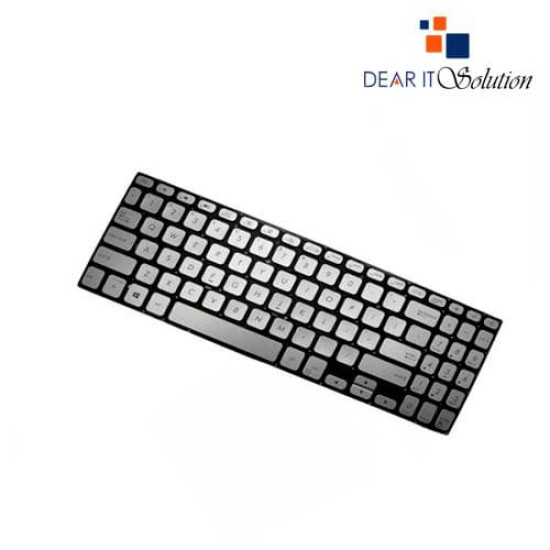
Laptop Keyboard for ASUS VivoBook S530 Series (Silver)

Laptop Keyboard for ASUS VivoBook  S530 Series (Silver)
Laptop Keyboard for ASUS VivoBook S530 Series (Silver)
  • Price: TK 1,650/-
  • Stock: In Stock
  • Model: VivoBook S530 Series
TK 1,650/-
Ex Tax: TK 1,650/-

Key Features

    • Keyboard For: Asus Laptop
    • Model: ASUS VivoBook S530 Series
    • Condition: Brand New
    • Compatible For: Asus S530,S15,S530U,S530F,S530UF,S530FA,S530FN,X530M,X530,S5300,S530UA,S5300F,S5300FN,S5300UN,X530M
    • Layout: US
    • Warranty: 6 Months
Specification
General Feature
BrandAsus
ModelAsus S530,S15,S530U,S530F,S530UF,S530FA,S530FN,X530M,X530,S5300,S530UA,S5300F,S5300FN,S5300UN,X530M
Physical Attributes
ColorSilver
Backlit OptionNo
LayoutUS
Warranty Information
Warranty6 Months
Description

 Laptop Keyboard for ASUS VivoBook S530 Series - Available at Dear IT Solution


Elevate your typing experience with the new US Backlit Silver Keyboard designed for ASUS VivoBook S530 series laptops. Perfect for both replacement and upgrade, this keyboard is crafted to enhance the functionality and aesthetic of your device, ensuring you enjoy a superior typing experience with style and efficiency.


Compatibility

This silver keyboard is designed to fit a range of ASUS VivoBook S530 series models, including:

    ASUS VivoBook S530
    ASUS VivoBook S15
    ASUS VivoBook S530U
    ASUS VivoBook S530F
    ASUS VivoBook S530UF
    ASUS VivoBook S530FA
    ASUS VivoBook S530FN
    ASUS VivoBook X530M
    ASUS VivoBook X530
    ASUS VivoBook S5300

Its precise design ensures perfect compatibility with these models, providing seamless integration and maintaining the sleek profile of your laptop.

Backlit Functionality

Featuring a backlit design, this keyboard allows for comfortable typing in various lighting conditions. The backlighting enhances visibility of the keys, making it easier to work or play in low-light environments while reducing eye strain.

Sleek Silver Finish

The keyboard is finished in an elegant silver color, adding a modern touch to your ASUS VivoBook. This stylish design not only complements the aesthetics of your laptop but also brings a fresh, sophisticated look to your workspace.

Durable Construction

Built with high-quality materials, this keyboard is designed to withstand daily use and provide a reliable typing experience. The keys are responsive and durable, ensuring long-term performance and user satisfaction.

Easy Installation

The keyboard is designed for easy installation, making it simple to replace your old keyboard and get your laptop back to optimal performance quickly. Its perfect fit ensures a hassle-free upgrade process.

Warranty and Support

Dear IT Solution stands behind the quality of this backlit silver keyboard with a comprehensive warranty. We cover any manufacturer defects to ensure that you receive a product that meets high standards of reliability and performance.

Conclusion

Upgrade your ASUS VivoBook S530 series laptop with the new US Backlit Silver Keyboard from Dear IT Solution. Combining functionality, style, and durability, this keyboard is the ideal choice for enhancing your typing experience. Visit us today to purchase this essential upgrade and enjoy the perfect blend of form and function for your laptop.

Review

Write a review

Note: HTML is not translated!
Bad Good
Critial Path: Hello world!
Hello world!
/** * @license * Copyright 2017 Google LLC * SPDX-License-Identifier: Apache-2.0 *//** * @fileoverview Diagnostic audit that lists all JavaScript libraries detected on the page */import {Audit} from '../audit.js'; import * as i18n from '../../lib/i18n/i18n.js';const UIStrings = { /** Title of a Lighthouse audit that provides detail on the Javascript libraries that are used on the page. */ title: 'Detected JavaScript libraries', /** Description of a Lighthouse audit that tells the user what this audit is detecting. This is displayed after a user expands the section to see more. No character length limits. */ description: 'All front-end JavaScript libraries detected on the page. [Learn more about this JavaScript library detection diagnostic audit](https://developer.chrome.com/docs/lighthouse/best-practices/js-libraries/).', /** Label for a column in a data table; entries will be the version numbers of the detected Javascript libraries. */ columnVersion: 'Version', };const str_ = i18n.createIcuMessageFn(import.meta.url, UIStrings);class JsLibrariesAudit extends Audit { /** * @return {LH.Audit.Meta} */ static get meta() { return { id: 'js-libraries', title: str_(UIStrings.title), scoreDisplayMode: Audit.SCORING_MODES.INFORMATIVE, description: str_(UIStrings.description), requiredArtifacts: ['Stacks'], }; }/** * @param {LH.Artifacts} artifacts * @return {LH.Audit.Product} */ static audit(artifacts) { const libDetails = artifacts.Stacks .filter(stack => stack.detector === 'js') // Don't show the fast paths in the table. .filter(stack => !stack.id.endsWith('-fast')) .map(stack => ({ name: stack.name, version: stack.version, npm: stack.npm, }));/** @type {LH.Audit.Details.Table['headings']} */ const headings = [ {key: 'name', valueType: 'text', label: str_(i18n.UIStrings.columnName)}, {key: 'version', valueType: 'text', label: str_(UIStrings.columnVersion)}, ]; const details = Audit.makeTableDetails(headings, libDetails);const debugData = { type: /** @type {const} */ ('debugdata'), stacks: artifacts.Stacks.map(stack => { return { id: stack.id, version: stack.version, }; }), };if (!libDetails.length) { return {score: null, notApplicable: true}; }return { score: 1, // Always pass for now. details: { ...details, debugData, }, }; } }export default JsLibrariesAudit; export {UIStrings};