
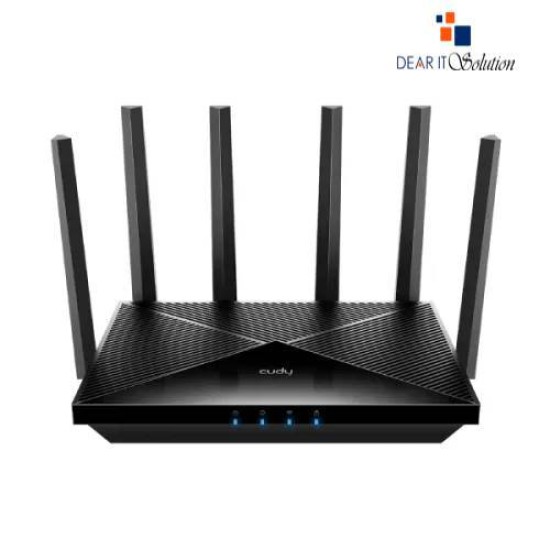
- Price: TK 13,000/-
- Stock: In Stock
- Model: WR6500
- MPN: BE6500
Key Features
- Model: Cudy WR6500 BE6500
- Type: Gigabit Dual Band Smart Wi-Fi 7 Router
- Speed: Up to 6.5 Gbps
- Frequency: 2.4GHz + 5GHz
- Coverage: Ideal for medium to large homes
- Features: High-speed, stable, and secure wireless connection
| General Feature | |
| Brand | Cudy |
| Model | WR6500 |
| Button | Power On/Off Button WPS Button Reset Button |
| Interface | 5x Gigabit RJ45 Ports 1× WAN port, the rest are LAN ports |
| Data Transfer | 5 GHz Wi-Fi Speed: 5765 Mbps 2.4 GHz Wi-Fi Speed: 688 Mbps |
| Frequency | 5 GHz, 2.4 GHz |
| Technical Info | |
| Operating Voltage | Input: 100 ~ 240 V, 50/60 Hz AC Output: 12V 1.5A DC |
| Physical Attributes | |
| Dimensions | 253×152.5×48.2 mm 9.96×6×1.9 inches |
| Weight | 580.0 g (20.46 oz.) |
| Warranty Information | |
| Warranty | 1 years |
Cudy WR6500 BE6500 Gigabit Dual Band Smart Wi-Fi 7 Router
The Cudy WR6500 BE6500 Gigabit Dual Band Smart Wi-Fi 7 Router is built to deliver lightning-fast connectivity and seamless performance for modern households and offices. Powered by a 2.0 GHz Quad-Core Broadcom CPU, this advanced Wi-Fi 7 router ensures a smooth online experience for streaming, gaming, video conferencing, and smart home devices.
With a blazing speed of 5760 Mbps on 5GHz and 688 Mbps on 2.4GHz, the WR6500 is capable of handling multiple high-bandwidth activities simultaneously without interruptions. Equipped with 4 high-gain omni-directional antennas, it provides strong and stable coverage for 2-3 bedroom houses or up to 2,500 square feet, making it ideal for small to medium homes.
This router is designed for flexibility, supporting Router, Access Point, Extender, and WISP modes, allowing you to configure it as per your network needs. It also features Mesh System support, ensuring seamless connectivity when paired with other Cudy Mesh devices.
Why Buy from Dear IT Solution?
At Dear IT Solution, we believe in providing not just products but complete solutions. When you purchase the Cudy WR6500 BE6500 Wi-Fi 7 Router from us, you are guaranteed:
100% Original Products – Directly sourced from authorized distributors
Competitive Pricing – Best price in Bangladesh without compromising quality
Expert Guidance – Our tech experts help you choose the right router for your specific needs
Fast Delivery – Reliable and quick delivery to your doorstep
Customer Support – Friendly after-sales support for setup and troubleshooting
Choosing Dear IT Solution means choosing trust, quality, and long-term value for your investment.
Caring Tips & Professional Service
To keep your Cudy WR6500 BE6500 Router performing at its best, here are some care tips:
Place the router in a central, elevated position to maximize Wi-Fi coverage.
Keep it away from walls, thick furniture, or electronic interference.
Regularly update the firmware via the Cudy Cloud App to ensure better security and performance.
Restart the router once every few weeks to maintain stability.
Use strong passwords and enable WPA3 for maximum network security.
For professional installation, troubleshooting, or networking solutions, you can always rely on our expert team. Visit our Service Department for reliable support and technical assistance.


