
Menu
Your Cart

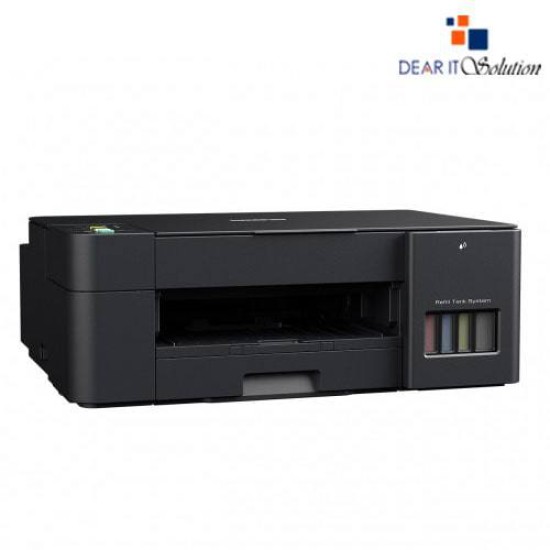
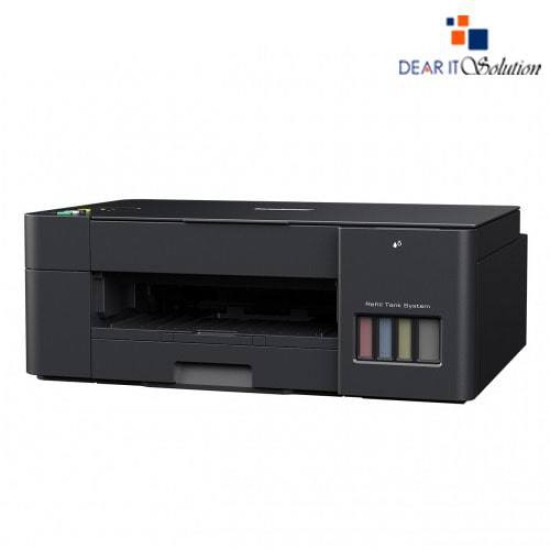
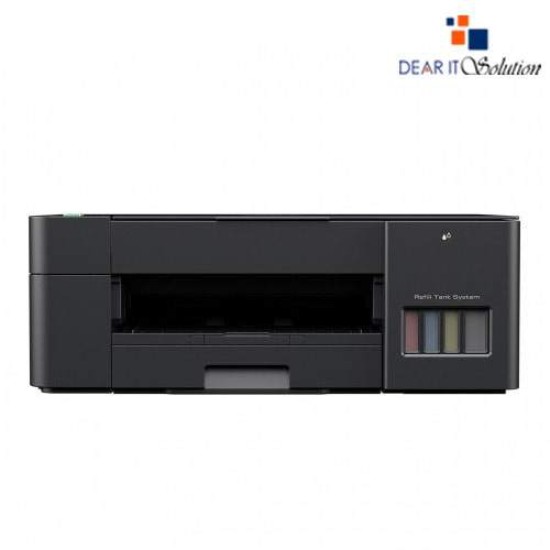
Brother DCP-T420W Multi-Function Color InkTank Printer with Wi-Fi

Brother DCP-T420W Multi-Function Color InkTank Printer with Wi-Fi
  • Price: TK 18,400/-
  • Stock: In Stock
  • Model: DCP-T420W
TK 18,400/-
Ex Tax: TK 18,400/-

Key Features

    • Model: DCP-T420W
    • Print Speed(B&W/ Color): 28 pages/ 11 pages per minute
    • Resolution: 1200 — 2400 dpi
    • Enlarge/ Reduce: 25% to 400%
    • Power: AC 110 to 120 V 50/ 60 Hz
    Specification
    General Feature
    BrandBrother
    ModelDCP-T420W
    Print
    TechnologyInkjet
    Print SpeedBlack/Color: 28/11 ppm
    Print ResolutionUp to 1,200 x 6,000 dpi
    Duty Cycle up to (Yield)2500 Pages
    DuplexManual
    Support
    Toner/ Cartridge/ RefillBTD60BK Black Ink Bottle BT5000C Cyan Ink Bottle BT5000M Magenta Ink Bottle BT5000Y Yellow Ink Bottle (Please make sure your existing & mentioned toner/cartridge/ink bottle models are the same before buying a new one)
    Power
    Power ConsumptionAC 110 to 120 V 50/60 Hz
    Software
    Software infoWindows 7 SP1, 8.1, 10 Server 2008, 2008 R2, 2012, 2012 R2, 2016, 2019
    Physical Attributes
    ColorBlack
    Dimensions435 x 359 x 159 mm
    Weight6.3 kg
    Warranty Information
    Warranty1-year Limited warranty
    Description

    Brother DCP-T420W Multi-Function Color InkTank Printer with Wi-Fi – Smart, Efficient & Wireless

    The Brother DCP-T420W Multi-Function Color InkTank Printer is a versatile all-in-one solution designed for home and small office users seeking cost-effective, high-volume, and wireless printing. With the ability to print, scan, and copy, this printer combines functionality with convenience, making it an ideal choice for everyday tasks.

    Equipped with InkTank technology, the DCP-T420W offers ultra-low-cost printing and high page yields, allowing you to print up to 7,500 pages in black and 5,000 pages in color. The refillable ink tanks are designed for easy monitoring and mess-free refills, ensuring uninterrupted productivity.

    With print speeds of up to 28 ppm (black) and 11 ppm (color), this printer ensures quick document output, making it suitable for fast-paced environments. Whether it's school assignments, business documents, or vibrant photos, the DCP-T420W delivers sharp text and rich, vivid colors with up to 1,200 x 6,000 dpi resolution.

    The built-in Wi-Fi connectivity allows for wireless printing from your computer, smartphone, or tablet. Additionally, the printer supports USB 2.0 connectivity, providing flexible options to suit your setup. The LED display and user-friendly control panel make operation straightforward and intuitive.

    The Brother DCP-T420W supports a variety of paper sizes and types, including A4, Letter, Legal, and envelopes. With a 150-sheet paper input tray and a 50-sheet output capacity, it handles everyday printing needs with ease. The manual feed slot adds versatility for printing on thicker media or special paper types.

    Designed with a compact footprint, the DCP-T420W fits comfortably into any workspace. Its energy-efficient operation and quiet performance ensure a productive yet peaceful work environment.


    Review

    Write a review

    Note: HTML is not translated!
    Bad Good
    Critial Path: Hello world!
    Hello world!
    /** * @license * Copyright 2017 Google LLC * SPDX-License-Identifier: Apache-2.0 *//** * @fileoverview Diagnostic audit that lists all JavaScript libraries detected on the page */import {Audit} from '../audit.js'; import * as i18n from '../../lib/i18n/i18n.js';const UIStrings = { /** Title of a Lighthouse audit that provides detail on the Javascript libraries that are used on the page. */ title: 'Detected JavaScript libraries', /** Description of a Lighthouse audit that tells the user what this audit is detecting. This is displayed after a user expands the section to see more. No character length limits. */ description: 'All front-end JavaScript libraries detected on the page. [Learn more about this JavaScript library detection diagnostic audit](https://developer.chrome.com/docs/lighthouse/best-practices/js-libraries/).', /** Label for a column in a data table; entries will be the version numbers of the detected Javascript libraries. */ columnVersion: 'Version', };const str_ = i18n.createIcuMessageFn(import.meta.url, UIStrings);class JsLibrariesAudit extends Audit { /** * @return {LH.Audit.Meta} */ static get meta() { return { id: 'js-libraries', title: str_(UIStrings.title), scoreDisplayMode: Audit.SCORING_MODES.INFORMATIVE, description: str_(UIStrings.description), requiredArtifacts: ['Stacks'], }; }/** * @param {LH.Artifacts} artifacts * @return {LH.Audit.Product} */ static audit(artifacts) { const libDetails = artifacts.Stacks .filter(stack => stack.detector === 'js') // Don't show the fast paths in the table. .filter(stack => !stack.id.endsWith('-fast')) .map(stack => ({ name: stack.name, version: stack.version, npm: stack.npm, }));/** @type {LH.Audit.Details.Table['headings']} */ const headings = [ {key: 'name', valueType: 'text', label: str_(i18n.UIStrings.columnName)}, {key: 'version', valueType: 'text', label: str_(UIStrings.columnVersion)}, ]; const details = Audit.makeTableDetails(headings, libDetails);const debugData = { type: /** @type {const} */ ('debugdata'), stacks: artifacts.Stacks.map(stack => { return { id: stack.id, version: stack.version, }; }), };if (!libDetails.length) { return {score: null, notApplicable: true}; }return { score: 1, // Always pass for now. details: { ...details, debugData, }, }; } }export default JsLibrariesAudit; export {UIStrings};