Menu
Your Cart

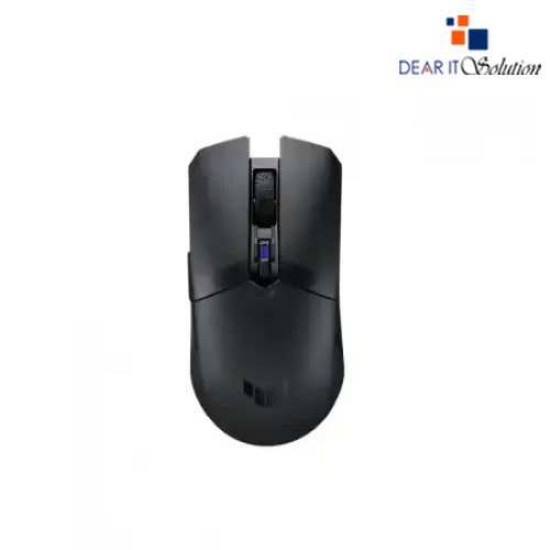
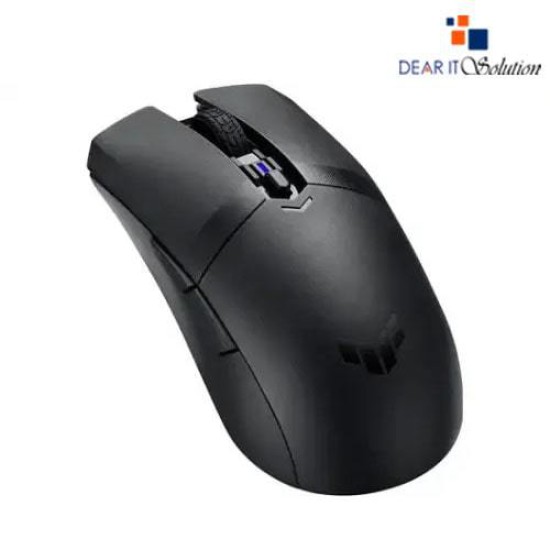
Asus TUF Gaming M4 Wireless Ambidextrous Gaming Mouse

Asus TUF Gaming M4 Wireless Ambidextrous Gaming Mouse
  • Price: TK 6,300/-
  • Stock: In Stock
  • Model: TUF Gaming M4 Wireless
TK 6,300/-
Ex Tax: TK 6,300/-

Key Features

    • Model: TUF Gaming M4 Wireless
    • Number of Buttons: 6
    • Optical Sensor, Resolution: 12000DPI
    • PTFE Mouse Feet and Armoury Crate
    • Connectivity: 2.4 GHz wireless and Bluetooth
    Specification
    General Feature
    Acceleration30g
    Tracking MethodOptical
    BrandAsus
    ModelTUF Gaming M4 Wireless
    Connectivity
    Wireless2.4 GHz wireless
    BluetoothYes
    Gaming Features
    Button06
    Switch Lifecycle60 million
    Acceleration30g
    Mouse Feature
    Resolution12000 DPI
    Number of Keys6
    Polling Rate1000 Hz
    Optical SensorYes
    Physical Attributes
    ColorBlack
    Weight62-gram
    Warranty Information
    Warranty01 Year
    Description

    Asus TUF Gaming M4 Wireless Ambidextrous Gaming Mouse

    The Asus TUF Gaming M4 Wireless Ambidextrous Gaming Mouse is designed for professional gamers and enthusiasts who demand high performance, durability, and versatility. With an ultralightweight ergonomic design, this mouse provides excellent control and comfort for both right-handed and left-handed users.

    Equipped with a high-precision 12,000 DPI optical sensor, the TUF Gaming M4 Wireless ensures accurate tracking and fast response times, making it ideal for FPS, MOBA, and other competitive games. The 6 programmable buttons allow for customized controls, providing an edge in gaming scenarios.

    This gaming mouse offers dual connectivity options2.4GHz wireless for ultra-low latency gaming and Bluetooth mode for extended battery life. The PTFE mouse feet ensure smooth gliding, while the Armoury Crate software lets you customize button assignments, DPI settings, and performance profiles. The TUF-coated shell enhances durability, making it resistant to wear and tear, ensuring long-lasting performance.

    The Asus TUF Gaming M4 Wireless is an excellent choice for gamers who want precision, reliability, and comfort in a wireless gaming mouse. Whether you're engaging in high-speed battles or long gaming sessions, this mouse delivers consistent performance with minimal input lag.

    Buy from Dear IT Solution

    Get the Asus TUF Gaming M4 Wireless Ambidextrous Gaming Mouse at the best price in Bangladesh from Dear IT Solution – your go-to store for high-quality gaming accessories.

    Best Price in Bangladesh – Competitive and affordable rates.
    Best Quality Product Insured in Bangladesh – 100% genuine Asus products.
    Fast & Secure Delivery – Quick shipping for a seamless shopping experience.
    Dedicated Customer Support – Assistance for product inquiries and after-sales service.

    Upgrade your gaming experience with the Asus TUF Gaming M4 Wireless Mouse. Order now from Dear IT Solution and enjoy precise control and seamless connectivity


    Review

    Write a review

    Note: HTML is not translated!
    Bad Good
    Critial Path: Hello world!
    Hello world!
    /** * @license * Copyright 2017 Google LLC * SPDX-License-Identifier: Apache-2.0 *//** * @fileoverview Diagnostic audit that lists all JavaScript libraries detected on the page */import {Audit} from '../audit.js'; import * as i18n from '../../lib/i18n/i18n.js';const UIStrings = { /** Title of a Lighthouse audit that provides detail on the Javascript libraries that are used on the page. */ title: 'Detected JavaScript libraries', /** Description of a Lighthouse audit that tells the user what this audit is detecting. This is displayed after a user expands the section to see more. No character length limits. */ description: 'All front-end JavaScript libraries detected on the page. [Learn more about this JavaScript library detection diagnostic audit](https://developer.chrome.com/docs/lighthouse/best-practices/js-libraries/).', /** Label for a column in a data table; entries will be the version numbers of the detected Javascript libraries. */ columnVersion: 'Version', };const str_ = i18n.createIcuMessageFn(import.meta.url, UIStrings);class JsLibrariesAudit extends Audit { /** * @return {LH.Audit.Meta} */ static get meta() { return { id: 'js-libraries', title: str_(UIStrings.title), scoreDisplayMode: Audit.SCORING_MODES.INFORMATIVE, description: str_(UIStrings.description), requiredArtifacts: ['Stacks'], }; }/** * @param {LH.Artifacts} artifacts * @return {LH.Audit.Product} */ static audit(artifacts) { const libDetails = artifacts.Stacks .filter(stack => stack.detector === 'js') // Don't show the fast paths in the table. .filter(stack => !stack.id.endsWith('-fast')) .map(stack => ({ name: stack.name, version: stack.version, npm: stack.npm, }));/** @type {LH.Audit.Details.Table['headings']} */ const headings = [ {key: 'name', valueType: 'text', label: str_(i18n.UIStrings.columnName)}, {key: 'version', valueType: 'text', label: str_(UIStrings.columnVersion)}, ]; const details = Audit.makeTableDetails(headings, libDetails);const debugData = { type: /** @type {const} */ ('debugdata'), stacks: artifacts.Stacks.map(stack => { return { id: stack.id, version: stack.version, }; }), };if (!libDetails.length) { return {score: null, notApplicable: true}; }return { score: 1, // Always pass for now. details: { ...details, debugData, }, }; } }export default JsLibrariesAudit; export {UIStrings};