Menu
Your Cart

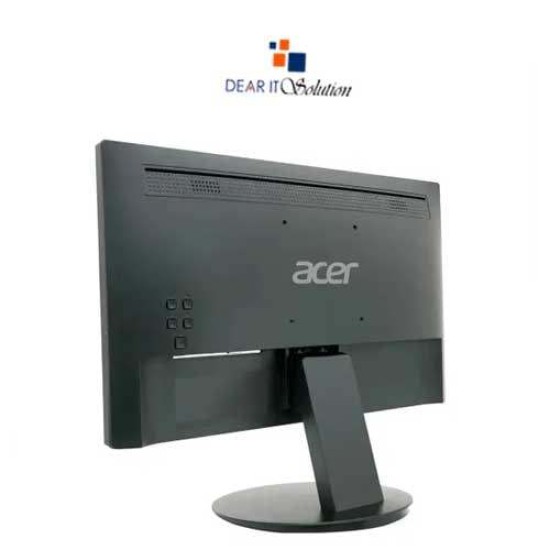
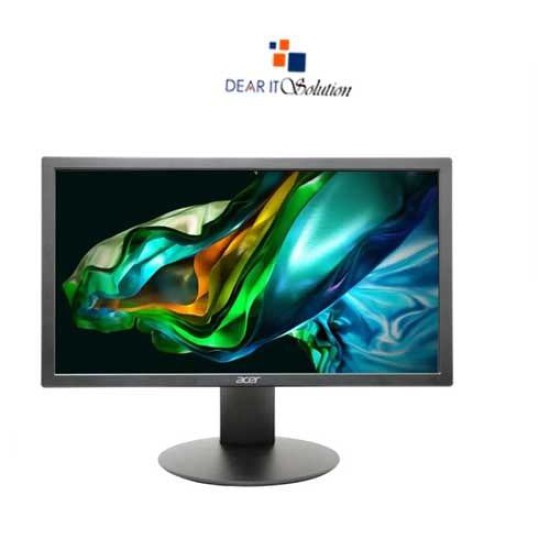
Acer 19.5" Monitor K202QBI

Acer 19.5" Monitor K202QBI
-9 %
Acer 19.5" Monitor K202QBI
  • Price: TK 8,500/-
  • special price: TK 7,700/-
  • Stock: In Stock
  • Model: K202QB
TK 7,700/-
TK 8,500/-
Ex Tax: TK 7,700/-

Key Features

    • Brand:Acer
    • Model:K202QBI
    • Display: TN, 75Hz, 6ms
    • Ports: 1x VGA, 1 x HDMI
    • Warranty: 3 Years
Specification
Display Features
Display Size19.5 Inch
Display TypeLED
Panel TypeTN
ResolutionHD+ (1600 x 900)
Aspect Ratio16:9
Viewing Angle90° Horizontal 65° Vertical
Brightness200 Nit
Contrast Ratio100,000,000:1
Refresh Rate75Hz
Response Time6ms (GTG)
Audio Features
Speaker (Built In)No
Connectivity
HDMIYes
VGAYes
Mechanical Design
Tilt-5° to 15°
Vesa Wall Mount100 x 100mm
Power
Power Consumption<24W (Operating), <1W (Off-mode)
Physical Attributes
Dimensions468.63 x 276.86 x 50.8mm
Weight1.65 Kg
Warranty Information
Warranty3 Years
Description

Acer 19.5" Monitor K202QBI Price in Bangladesh

The Acer K202QBI 19.5" HD+ Monitor is an excellent choice for users seeking a compact yet high-performing display solution. Featuring a 19.5-inch screen with an HD+ resolution of 1600 x 900, this monitor delivers crisp and vibrant visuals, making it ideal for both work and entertainment. The monitor’s 16:9 aspect ratio ensures a wide viewing experience, while the 60Hz refresh rate provides smooth motion for various applications, from office tasks to streaming videos. The Acer K202QBI's slim design and narrow bezels not only enhance the modern aesthetic but also make it a perfect fit for any workspace, saving valuable desk space.

Best Price in BD for Acer K202QBI Monitor

Looking for the best price in BD for the Acer K202QBI 19.5" HD+ Monitor? At Dear IT Solution, we offer this reliable monitor at an unbeatable price, ensuring that you get excellent value for your investment. The Acer K202QBI features Acer's EyeProtect technology, which minimizes blue light emissions, providing a more comfortable viewing experience, especially during long hours of usage. Whether you're working on documents, browsing the web, or enjoying your favorite shows, this monitor delivers exceptional performance at a price that fits your budget.

High-Quality Product & Maintenance Tips

To maintain your Acer K202QBI monitor in optimal condition, it’s important to ensure proper airflow around the device and to avoid exposing it to extreme temperatures or humidity. Regularly clean the screen with a soft, lint-free cloth to prevent scratches and maintain clarity. The monitor includes versatile connectivity options, featuring 1x VGA and 1x HDMI ports, allowing you to connect it to various devices effortlessly. At Dear IT Solution, we not only provide high-quality products but also offer useful tips to help you extend the lifespan of your monitor.

Buy at Dear IT Showroom or Online
You can purchase the Acer K202QBI 19.5" HD+ Monitor from the Dear IT Solution showroom or easily order it online through our website. We guarantee the best prices in Bangladesh for Acer monitors, ensuring high-quality products and exceptional customer service. Whether you are setting up a new office, upgrading your home workspace, or simply need a reliable display for everyday tasks, the Acer K202QBI is a perfect choice that combines quality and affordability.

Review

Write a review

Note: HTML is not translated!
Bad Good
Critial Path: Hello world!
Hello world!
/** * @license * Copyright 2017 Google LLC * SPDX-License-Identifier: Apache-2.0 *//** * @fileoverview Diagnostic audit that lists all JavaScript libraries detected on the page */import {Audit} from '../audit.js'; import * as i18n from '../../lib/i18n/i18n.js';const UIStrings = { /** Title of a Lighthouse audit that provides detail on the Javascript libraries that are used on the page. */ title: 'Detected JavaScript libraries', /** Description of a Lighthouse audit that tells the user what this audit is detecting. This is displayed after a user expands the section to see more. No character length limits. */ description: 'All front-end JavaScript libraries detected on the page. [Learn more about this JavaScript library detection diagnostic audit](https://developer.chrome.com/docs/lighthouse/best-practices/js-libraries/).', /** Label for a column in a data table; entries will be the version numbers of the detected Javascript libraries. */ columnVersion: 'Version', };const str_ = i18n.createIcuMessageFn(import.meta.url, UIStrings);class JsLibrariesAudit extends Audit { /** * @return {LH.Audit.Meta} */ static get meta() { return { id: 'js-libraries', title: str_(UIStrings.title), scoreDisplayMode: Audit.SCORING_MODES.INFORMATIVE, description: str_(UIStrings.description), requiredArtifacts: ['Stacks'], }; }/** * @param {LH.Artifacts} artifacts * @return {LH.Audit.Product} */ static audit(artifacts) { const libDetails = artifacts.Stacks .filter(stack => stack.detector === 'js') // Don't show the fast paths in the table. .filter(stack => !stack.id.endsWith('-fast')) .map(stack => ({ name: stack.name, version: stack.version, npm: stack.npm, }));/** @type {LH.Audit.Details.Table['headings']} */ const headings = [ {key: 'name', valueType: 'text', label: str_(i18n.UIStrings.columnName)}, {key: 'version', valueType: 'text', label: str_(UIStrings.columnVersion)}, ]; const details = Audit.makeTableDetails(headings, libDetails);const debugData = { type: /** @type {const} */ ('debugdata'), stacks: artifacts.Stacks.map(stack => { return { id: stack.id, version: stack.version, }; }), };if (!libDetails.length) { return {score: null, notApplicable: true}; }return { score: 1, // Always pass for now. details: { ...details, debugData, }, }; } }export default JsLibrariesAudit; export {UIStrings};