


- Price: TK 9,700/-
- Stock: In Stock
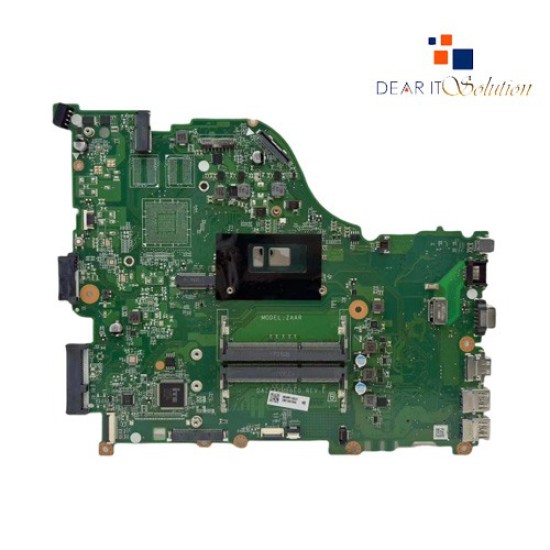
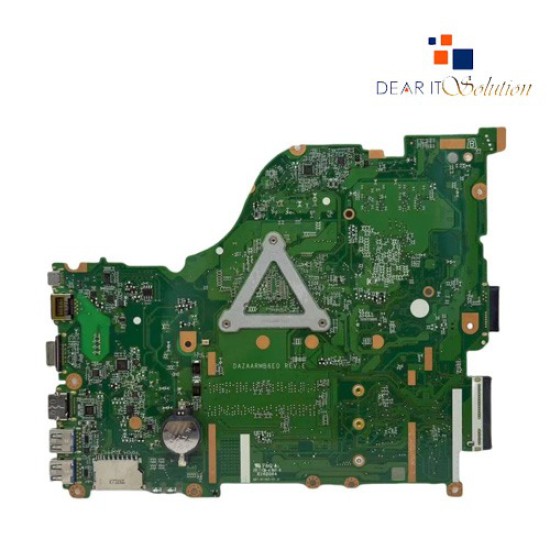
- Model: E5-576 / E5-576G DAZAARMB6E0 I3 8th Gen

Key Features
- Model: ACER E5-576 / E5-576G DAZAARMB6E0
- CPU Support: Intel Core i3 8th Gen
- RAM Support: DDR4
- Storage Support: SATA HDD/SSD
- Build Quality: OEM-Grade Durability
- Protection: Short Circuit, Overheat & Power Stability Protection
ACER E5-576 / E5-576G DAZAARMB6E0 I3 8th Gen Laptop Motherboard – OEM Replacement | Best Price in BD
Overview & Product Quality
The ACER E5-576 / E5-576G DAZAARMB6E0 I3 8th Gen Laptop Motherboard is a premium OEM replacement engineered to restore your laptop’s original performance, stability, and reliability. If your existing motherboard has experienced liquid damage, overheating, short circuit, BIOS failure, no display, auto restart, or charging problems, this replacement ensures your device runs smoothly and efficiently.
Powered by the Intel Core i3 8th Gen processor, this motherboard delivers reliable multitasking, fast responsiveness, and stable performance for office work, browsing, multimedia streaming, online learning, and everyday productivity. It supports DDR4 RAM and SATA HDD/SSD storage, offering faster boot times, smooth system operation, and minimized risk of system crashes or lag. The durable OEM-grade construction and optimized power design protect the laptop from overheating, sudden shutdowns, and other common motherboard failures.
Built with high-quality chipsets, reinforced PCB, and robust internal circuits, the motherboard includes all essential ports and connectors: USB ports, HDMI port, LAN port, audio jack, LCD display connector, RAM slot, SATA interface, Wi-Fi module slot, cooling fan header, and keyboard & touchpad connectors, ensuring full laptop functionality. Even with prolonged use, it provides consistent and reliable performance for students, professionals, and home users alike.
This motherboard also enhances thermal management, electrical stability, and reduces unexpected system crashes. Users replacing a faulty motherboard will experience faster booting, smoother multitasking, reliable display output, and stable battery performance, restoring the laptop to near-original condition.
Installation & Compatibility
The motherboard is designed to fit perfectly inside the ACER E5-576 / E5-576G chassis, aligning all connectors, ports, slots, and mounting points exactly like the original board. Installation is straightforward for both professional technicians and skilled users.
It fully supports DDR4 RAM modules, SATA HDD/SSD storage, and all required input/output interfaces. After installation, Windows 10/11 automatically detects the necessary drivers, so no additional BIOS setup is needed. Ideal for laptops affected by component failure, power issues, display problems, or short circuits, this motherboard restores full performance and long-term reliability.
With this replacement, users regain stable operation, professional-grade reliability, and extended laptop lifespan, making it a trusted solution for ACER E5 series laptops.


