Menu
Your Cart

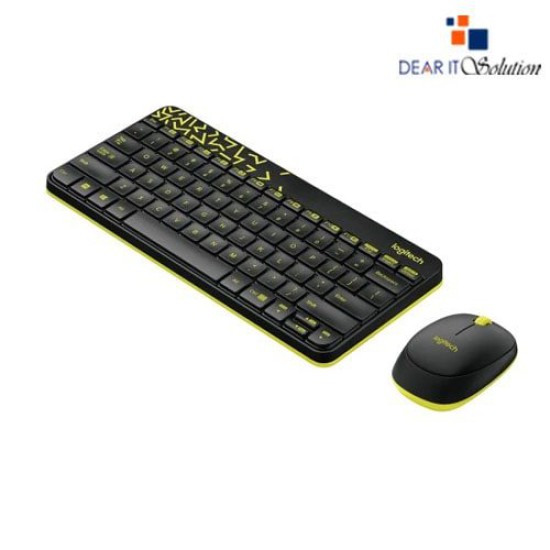
Logitech MK240 Wireless Keyboard and Mouse Combo

Logitech MK240 Wireless Keyboard and Mouse Combo
  • Price: TK 2,300/-
  • Stock: In Stock
  • Model: Mk240 Combo
  • MPN: 920-004536
TK 2,300/-
Ex Tax: TK 2,300/-

Key Features

    • Model: MK240
    • Spill-resistant Design Keyboard
    • Adjustable keyboard Height
    • Smooth Optical Tracking Mouse
    • Number of Buttons: 3 (Left/Right-click, Middle-click)
    Specification
    General Feature
    BrandLogitech
    ModelMK240
    Keyboard Feature
    Keyboard ModelMk240
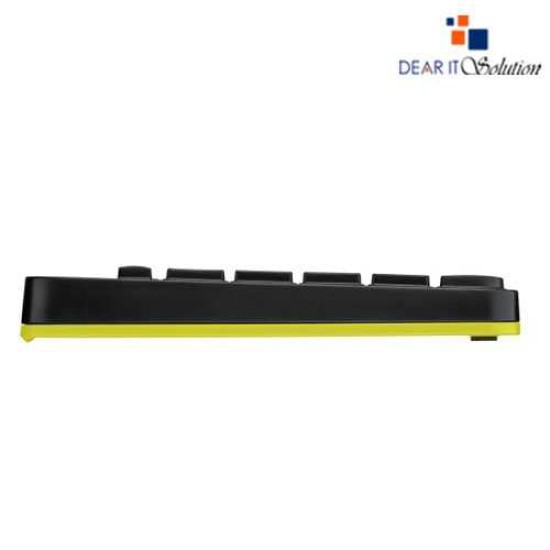
    Keyboard DimensionLength: 288 mm Width: 139 mm Height: 21 mm
    Keyboard Weight312 g
    Mouse Feature
    Mouse ModelMk240
    SensorSmooth Optical Tracking
    Buttons No3 (Left/Right-click, Middle-click)
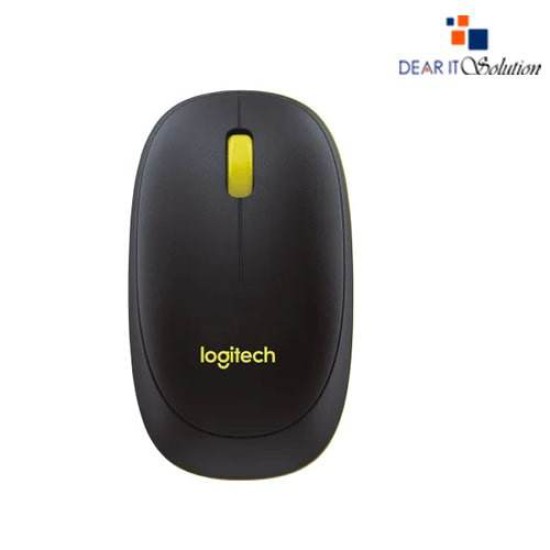
    Mouse DimensionLength: 100 mm Height: 32 mm Width: 60 mm
    Mouse Weight753 g
    Warranty Information
    Warranty03 Year
    Description

    Logitech MK240 Wireless Keyboard and Mouse Combo

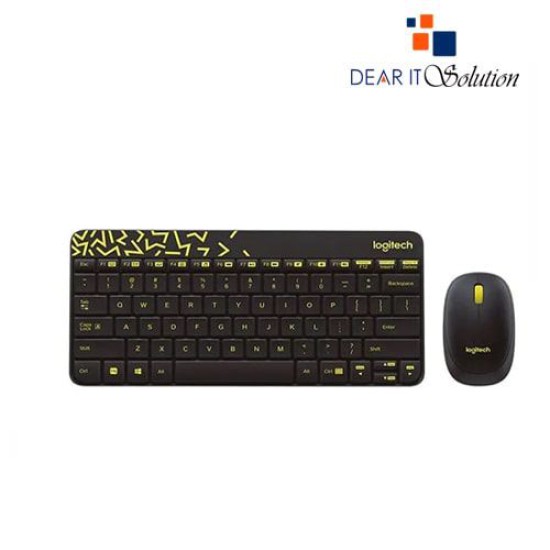
    The Logitech MK240 Wireless Keyboard and Mouse Combo is a vibrant and compact solution for users seeking a stylish yet functional keyboard and mouse set. Perfect for both work and leisure, this combo features a space-saving design with a sleek keyboard and a comfortably sized mouse that’s easy to carry and use.

    The keyboard boasts whisper-quiet keys for a smooth and silent typing experience. Its spill-resistant design protects against accidental spills, ensuring durability over time. With a layout that includes all essential keys, the MK240 keyboard is ideal for everyday tasks, whether you're writing emails, creating documents, or browsing the web.

    The mouse is designed to fit comfortably in either hand, providing precise cursor control for seamless navigation. It operates smoothly on various surfaces, making it a versatile companion for both office work and on-the-go productivity.

    Both devices connect wirelessly via a 2.4 GHz USB receiver, providing a stable connection with a range of up to 10 meters. The combo also delivers impressive battery life: the keyboard can last up to 36 months, while the mouse lasts up to 12 months on standard batteries, reducing the need for frequent replacements.

    The Logitech MK240 Wireless Combo also features unique patterns and bold color accents, adding a touch of personality to your workspace. Its compact and lightweight design makes it an excellent choice for those with limited desk space or those who frequently move between workspaces.

    Buying Suggestions from Dear IT Solution

    The Logitech MK240 Wireless Keyboard and Mouse Combo is available in Bangladesh at Dear IT Solution, your trusted source for quality IT products.

    At Dear IT Solution, we offer this stylish and reliable combo at a competitive price, ensuring great value for your money. With our user-friendly online platform, you can effortlessly browse, place your order, and have the product delivered to your doorstep.

    We are committed to providing genuine, high-performance products that cater to your needs. Whether you're upgrading your home setup or enhancing your office workspace, the Logitech MK240 Wireless Combo is an excellent choice.

    Review

    Write a review

    Note: HTML is not translated!
    Bad Good
    Critial Path: Hello world!
    Hello world!
    /** * @license * Copyright 2017 Google LLC * SPDX-License-Identifier: Apache-2.0 *//** * @fileoverview Diagnostic audit that lists all JavaScript libraries detected on the page */import {Audit} from '../audit.js'; import * as i18n from '../../lib/i18n/i18n.js';const UIStrings = { /** Title of a Lighthouse audit that provides detail on the Javascript libraries that are used on the page. */ title: 'Detected JavaScript libraries', /** Description of a Lighthouse audit that tells the user what this audit is detecting. This is displayed after a user expands the section to see more. No character length limits. */ description: 'All front-end JavaScript libraries detected on the page. [Learn more about this JavaScript library detection diagnostic audit](https://developer.chrome.com/docs/lighthouse/best-practices/js-libraries/).', /** Label for a column in a data table; entries will be the version numbers of the detected Javascript libraries. */ columnVersion: 'Version', };const str_ = i18n.createIcuMessageFn(import.meta.url, UIStrings);class JsLibrariesAudit extends Audit { /** * @return {LH.Audit.Meta} */ static get meta() { return { id: 'js-libraries', title: str_(UIStrings.title), scoreDisplayMode: Audit.SCORING_MODES.INFORMATIVE, description: str_(UIStrings.description), requiredArtifacts: ['Stacks'], }; }/** * @param {LH.Artifacts} artifacts * @return {LH.Audit.Product} */ static audit(artifacts) { const libDetails = artifacts.Stacks .filter(stack => stack.detector === 'js') // Don't show the fast paths in the table. .filter(stack => !stack.id.endsWith('-fast')) .map(stack => ({ name: stack.name, version: stack.version, npm: stack.npm, }));/** @type {LH.Audit.Details.Table['headings']} */ const headings = [ {key: 'name', valueType: 'text', label: str_(i18n.UIStrings.columnName)}, {key: 'version', valueType: 'text', label: str_(UIStrings.columnVersion)}, ]; const details = Audit.makeTableDetails(headings, libDetails);const debugData = { type: /** @type {const} */ ('debugdata'), stacks: artifacts.Stacks.map(stack => { return { id: stack.id, version: stack.version, }; }), };if (!libDetails.length) { return {score: null, notApplicable: true}; }return { score: 1, // Always pass for now. details: { ...details, debugData, }, }; } }export default JsLibrariesAudit; export {UIStrings};